

MAGIX VEGAS Pro 23 with AI
Eligibility: Students, Faculty/Staff & Schools
Smash Expectations with VEGAS Pro! VEGAS Pro is built different, so you can edit videos bolder. With powerful tools and a lightning-fast timeline, it’s the ultimate creative cheatcode.
VEGAS Pro DNA includes:
- Effortless Editing: Get started quickly and stay efficient with intuitive, easy-to-use tools.
- All-in-One Power: Go beyond the basics with built-in tools that deliver the speed, control, and power you need.
- Advanced Expandability: Push your creativity further with full support for third-party plugins and hardware.


NEW! Features of VEGAS Pro 23 include:
VEGAS Core Engine
Silky-smooth preview and precisely accurate color handling, even under heavy load. DirectX 11/12, In-VRAM processing, ACES 1.3, and OpenColor IO bring the most significant performance gains ever.
- Chew Through Video Files Like Candy: Lightning-fast playback that shows exactly what you’ve created. Enjoy smooth previews with far fewer dropped frames and rock-solid performance.
- Precise Color Grading: See color grading changes instantly in a Direct X-based GPU pipeline so you can work on the look you envision without interruptions.
- Fluent Playback: Full-framerate, high-quality previews that display your edits accurately, even with high-resolution files and complex effects.
- Windows on ARM Ready: All the same powerful VEGAS Pro features on the ARM platform to natively leverage the power of NPU.
- Continuous Improvements: Free updates during the version life cycle bring fixes, enhancements, and new features to keep your software at its best.
Super Comfortable Interface
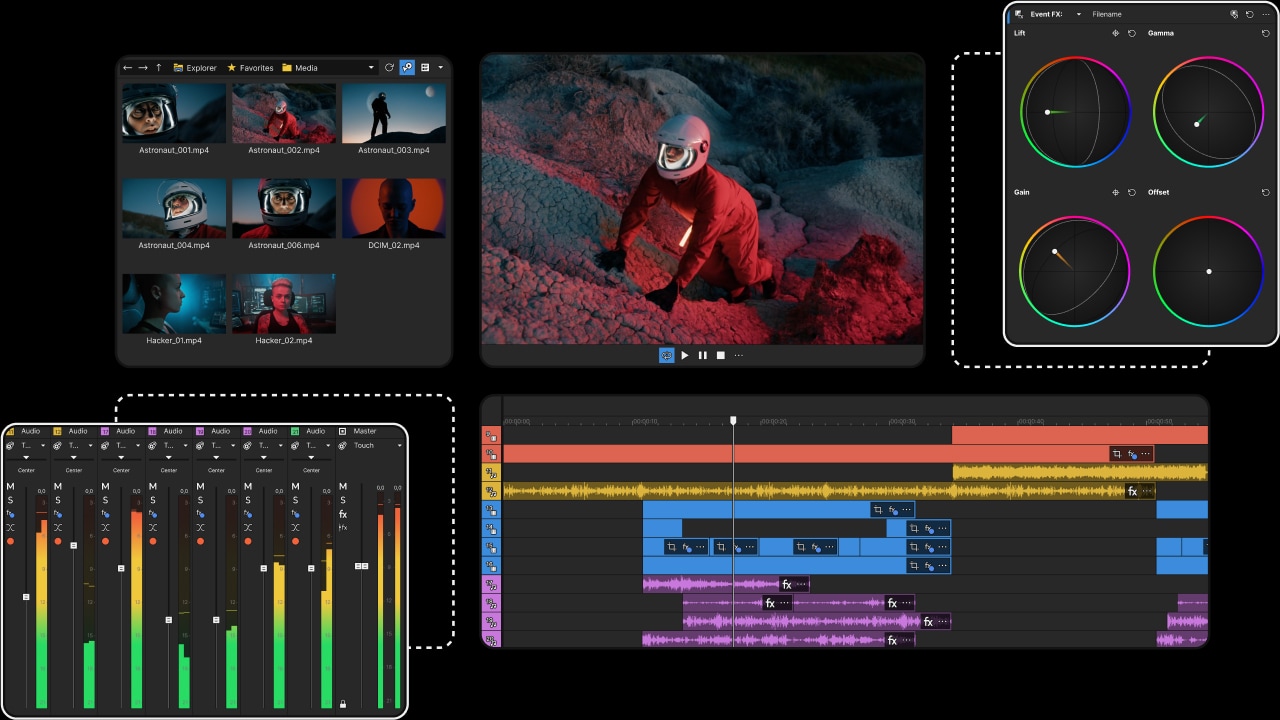
The same intuitive approach to editing that makes VEGAS Pro unique, now presented in new but familiar UI elements with a modern look.
- Experience Next-Level Color Precision: Precise control over color grading with a modeless workflow that keeps your color tools handy at all times.
- Stay Focused with the Enhanced Timeline: All your essential editing tools are right where you need them: fully integrated into the VEGAS Pro timeline.
- Get Organized with the Unified Explorer: Brings all your storage locations into one logical window for easy access to media files.
- Hassle-Free Export to any Format: Choose the perfect export and render settings with pro-level flexibility in an interface that’s easy for beginners.
Innovative Editing Tools and Workflows
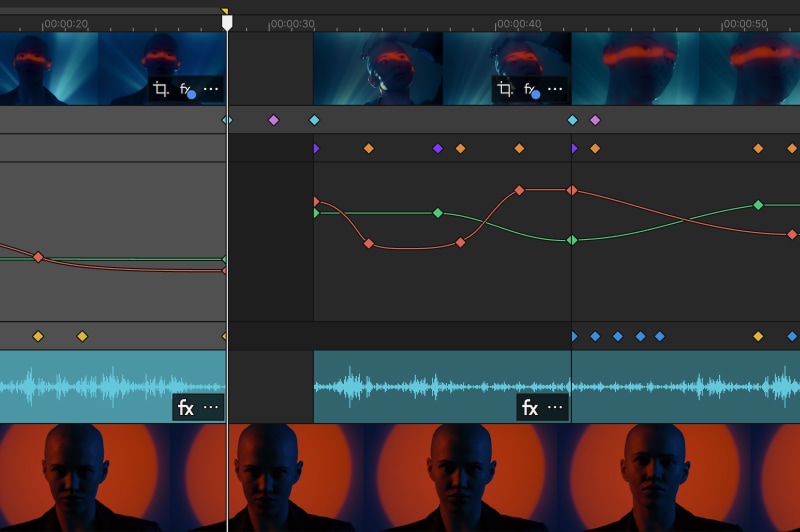
Edit faster and create more freely thanks to the innovative approach of VEGAS Pro. We constantly challenge established norms, and finding better ways to work is a key part of the VEGAS DNA.
- Transform How you Animate Effects: Keep your creative momentum while you animate video effects. Add and adjust envelope keyframes for event- and track-level OFX filters right in the timeline, without breaking your focus.
- Save Time with VFX Packages: Save your favorite FX chains and settings, including parameter animations, in a single package that you can reapply anywhere else.
- Record Gameplay with VEGAS Capture: Quickly record your screen, webcam, and audio, then transfer everything straight into your VEGAS Pro timeline with tight integration.
- Turn Mobile Clips into Pro-Quality Videos: Bring out the best in your footage with camera LUTs that match Samsung and Apple color profiles for stunning, accurate results.
- Sculpt Audio with the Modern Equalizer: Shape your sound with precise, integrated equalization at any stage of your signal flow.
AI: Assistance with Intention
Get the job done faster with the help of thoughtfully designed tools.
- Speech to Text: Take the tedious work out of creating transcripts and subtitles.
- Text to Speech: Create narration in multiple languages with natural-sounding voices.
-
Creative AI: Innovative AI tools to speed up your edits and boost creativity.
- Z-Depth: Define a border between foreground and background. Then insert an object between them or apply an effect to one but not the other.
- Smart Mask: Identify objects in your scene and create masks to isolate them. Then apply effects to the masked objects or drop a different background behind them.
- Auto Reframe: AI reformats your footage for seamless delivery across all your social media channels, saving you time and effort.
- Upscale: Increase the resolution of your footage to fit the one of your project. Perfect for using SD footage in HD projects.
- Style Transfer: Want your video to look like a Monet painting? Apply the style of your favorite artist or stunning patterns to your footage.
- Colorization: Convert black-and-white footage to full color. AI will accurately identify objects and apply realistic, context-aware coloring.
- Dehaze: Completely remove or adjust the amount of haze, fog, smoke, dust in your shot to bring out your video subject.
- Sharpen: Don’t let bad camera focus ruin an otherwise perfect shot. Bring clarity to "soft" footage with full control over the sharpening amount.
- Smoothen: Sometimes a shot can be too well focused. Direct AI to soften your image with full control over the amount of blur you add.
Powerful Features From Previous Updates
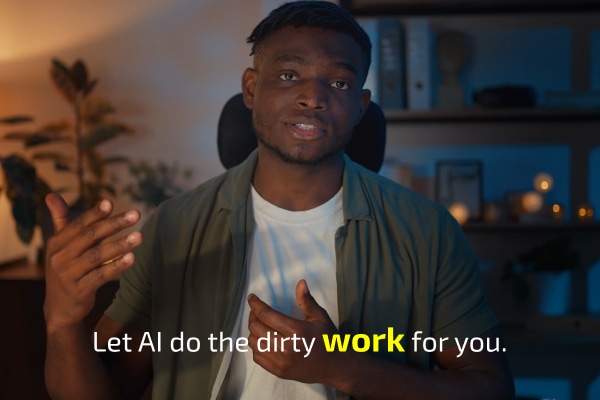
Introduced in earlier versions and still available today. Editing power that helps you work faster, more efficiently, and more creatively.
- Auto Normalize: Automatically recalculate normalization during edits for max use of dynamic range.
- Auto Ducking: Automatically get the music out of the way of the narration to ensure clarity.
- Tempo Detection: Edit video precisely to the beat with your timeline ruler matching project tempo.
- Audio Sync: Take the guess work out of synchronizing multi-source video and audio files.
- Beat Detection: Identify potential hit points in your audio with full control over sensitivity.
- Real-Time Word Highlighting: Automatically highlight the currently spoken word to make subtitles stand out.
- Chroma Key: Put your actor into scenes you could never shoot in reality. Remove the color background and replace it with different footage.
- Bézier Masking: Create precise mask shapes complete with fully adjustable Bézier curves to isolate objects in your scene and place them into a different background.
- Motion Blur: To create a smoother, more natural effect when objects move across the screen, dial in the exact amount of motion blur you need.
- Video Stabilization: Tame your shaky footage so it plays with rock-solid stability.
- Flicker Control: Remove the distraction of unwanted flicker from lights or other sources. Or add it to your shot for interesting special effects.
System Requirements:
Browse Here to find a Laptop or Desktop to Fit VEGAS System Requirements.
Minimum Requirements
- Operating System: 64-bit Windows 11
- Processor: Intel® Core™ i5 8th gen; AMD Ryzen™ 5 1000 series
- Graphics Card: NVIDIA® GeForce GTX™ 10 series; AMD® Radeon™; Intel® HD Graphics 630
- VRAM: 8GB
- Memory: 16GB
- Storage: 1.5 GB Free space (SSD for best performance) Additional high-speed drive for media
Recommended for 4K
- Operating System: 64-bit Windows 11
- Processor: Intel® Core™ i7 12th gen; AMD Ryzen™ 7 5000 series
- Graphics Card: NVIDIA® GeForce RTX™ 30 series; AMD Radeon™ RX 5000 series; Intel® HD Graphics 770
- VRAM: 8GB (GB or more for 8K)
- Memory: 32GB
- Storage: 1.5 GB Free space (SSD for best performance) Additional high-speed drive for media
Recommended for AI
- Operating System: 64-bit Windows 11
- Processor: Intel® Core™ i9 14th gen; AMD Ryzen™ 9 7000 series;
- Graphics Card: NVIDIA® GeForce RTX™ 40 series; AMD Radeon™ RX 6000 series
- VRAM: 16GB or More
- Memory: 32GB
- Storage: 1.5 GB Free space (SSD for best performance) Additional high-speed drive for media


