

ASUS VivoBook 14" FHD Intel Core 5 8GB RAM 512GB SSD Lay-Flat Hinge AI Laptop with Antimicrobial Guard Plus & Office 2024
Eligibility: Students, Faculty/Staff & Schools
Turn everyday tasks into something special with Vivobook 14, your essential tool for getting things done easier, anywhere. It’s completely user-friendly too, with its 180° lay-flat hinge and physical webcam shield. ASUS Antimicrobial Guard Plus protects frequently-touched surfaces from harmful bacteria, safeguarding your health. Make all your days more enjoyable with Vivobook 14!
Vivobook 14 also supports fast charging which allows you to charge a low battery to 60% in as little as 49 minutes, so you can be up and running quicker than ever!
Features include:
Clearly Superior Display
Vivobook 14 delivers beautifully clear visuals with its three-sided slim-bezel NanoEdge display. The wide viewing angles maintain great quality even for off-center viewing, and the TÜV Rheinland eye-care certification ensures low blue-light levels that reduce the risk of eye strain during long viewing sessions.
A New Perspecive on Laptop Audio
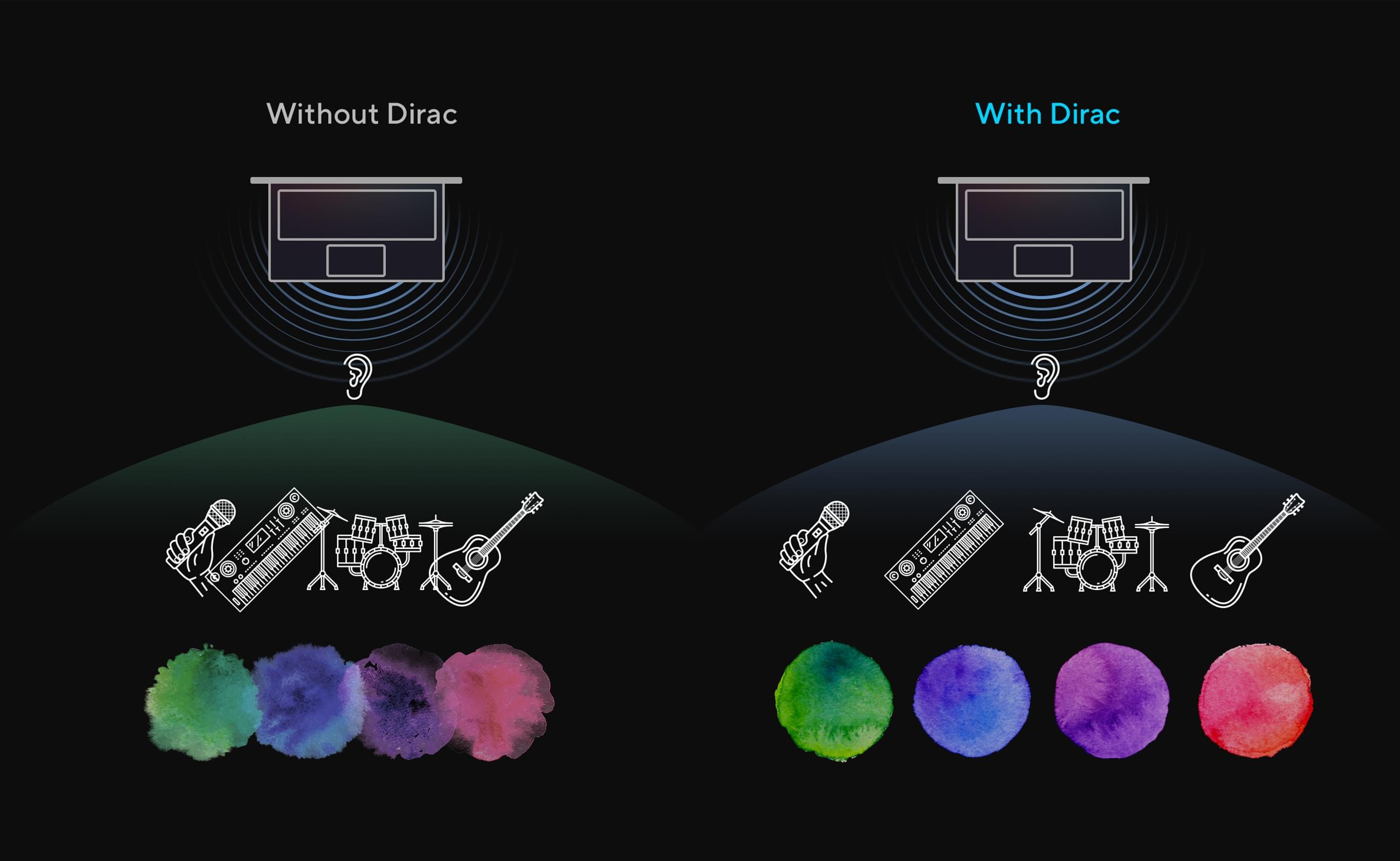
Designed with help from the audio experts at Dirac, a professional audio solution provider, the audio system delivers the most immersive, clear, and balanced sound experience you’ve ever heard on a PC, laptop or tablet. You’ll hear a wider and deeper soundscape than you could imagine, unleashing the full audio potential of your laptop.
Upgrade Your Audio Experience with Volume Booster
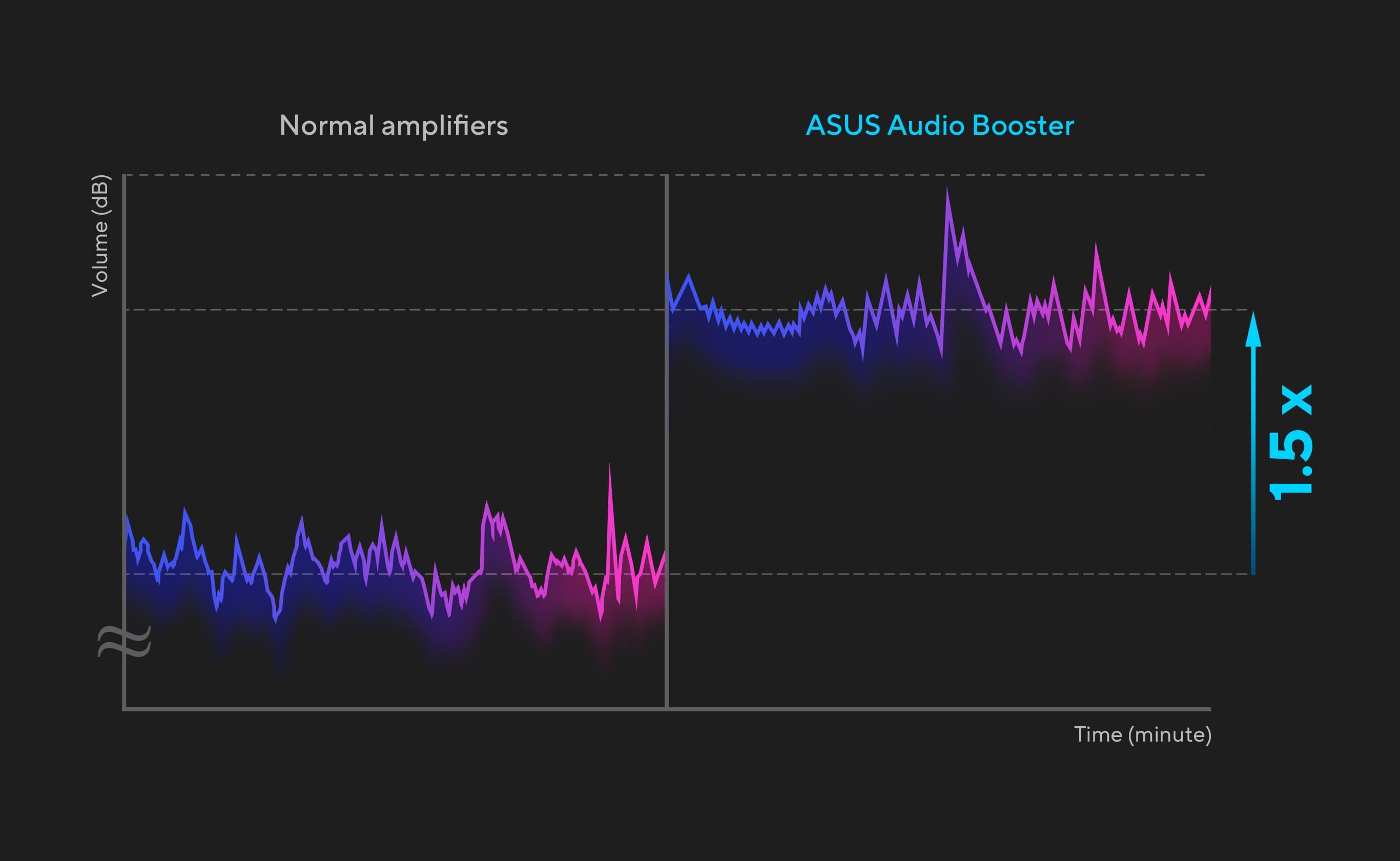
ASUS Audio Booster uses unique audio algorithms to boost audio volume up to 1.5x and take your audio experience to the next level.
ASUS ErgoSense Keyboard: Comfortable Typing Experience
Your comfort is ASUS' highest priority. That’s why the ASUS ErgoSense keyboard has an incredibly satisfying feel, with the optimum key bounce and travel calculated with fine-tuned precision. Experience the ErgoSense keyboard and you’ll soon find yourself cruising effortlessly through your work.
- Full-Sized Keyboard 19.05 mm: The full-size 19.05 mm key pitch is the same as a desktop keyboard so you can whizz through your work with superb typing comfort and accuracy.
- Dished Key Caps 0.2 mm: The 0.2 mm key-cap dish is designed to match the shape of your fingertips so your fingers are gently guided to the ideal contact point with the keys.
- Long Key Travel 1.4 mm: The long 1.4 mm key travel lets you type without having to use too much force. And the special ASUS-designed rubber dome guarantees your click force is met with just the right tactile bump you need for a nice grip.
- 0.1 mm Key Cap Relief: When fully depressed, the keys on the ErgoSense keyboard don’t sink below the level of the keyboard deck. The key caps remain at least 0.1 mm above the chassis surface, providing you with a comfortable, ergonomic typing experience.
Optimal Click Ratio: Engineered to Perfection
The feel of a keyboard depends on the crucial ratio between the peak force (also known as the actuation force) and the contact force. Peak force occurs when you press down on the key and reach the maximum force that the key’s underlying rubber dome can withstand without deflecting. Contact force occurs when the bottom of the key touches the circuit board to trigger an electronic signal, which in turn generates the action appropriate to the key. To achieve the most natural feel for a keyboard, ASUS keyboard experts have scientifically determined that the optimal ergonomic click ratio for a key is between 45-60%. These forces are precisely measured and tuned using the ASUS-designed rubber domes beneath the keys.
ASUS Antimicrobial Guard Plus
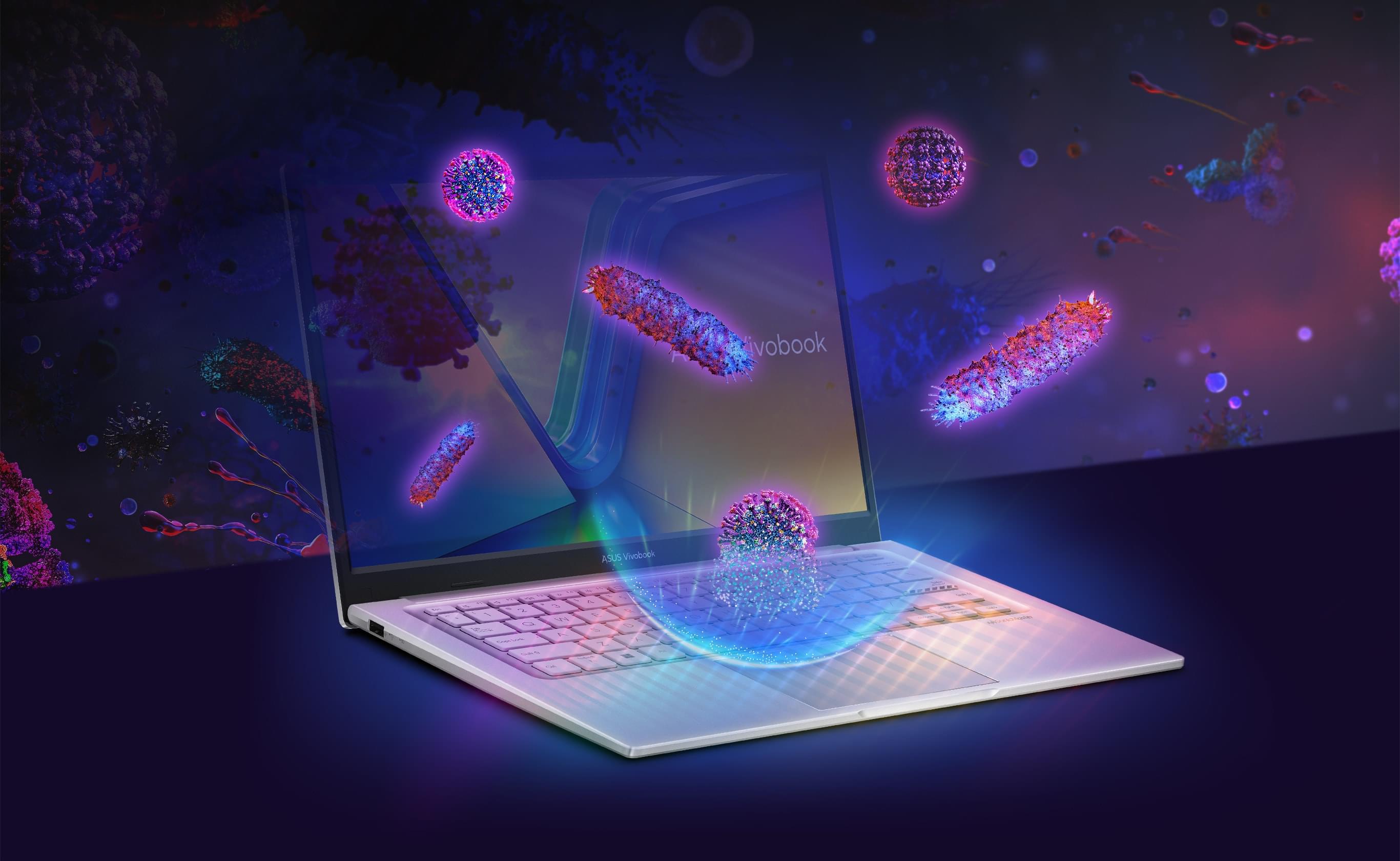
ASUS Antimicrobial Guard Plus is applied to frequently touched areas of your laptop to help keep it hygienic. This technology uses a denser treatment that inhibits viruses and bacteria. And it is scientifically shown — using the ISO 2170211 and 2219612 standards — to inhibit virus and bacteria growth by more than 99% over a 24-hour period4. Strains used for the tests include the SARS-CoV-2 (COVID-19), H3N2 (Influenza A) and the E. coli bacterium.
ASUS Antimicrobial Guard Plus is a surface coating on the laptop22 that contains positively-charged silver ions. Silver ions and negatively-charged microbial cells are attracted to each other and then pierce the surface to damage their structure, inhibiting reproduction.

Without ASUS Antimicrobial Guard Plus, an estimated sample of 10,000 (pfu/ml) cells grew to 28,000 (pfu/ml). Performing the same test with Antimicrobial Guard Plus saw the count reduced to just 16 (pfu/ml) - a growth restriction of more than 99%.
Physical Webcam Privacy Shutter
Vivobook 14 takes your privacy and security seriously. There’s an integrated privacy shield that slides over the webcam for instant privacy, shielding you from prying eyes and disturbances.
Wide Opening for Sharing
Vivobook 14 features a precision-engineered, lay-flat hinge that makes it easy to share content with others, or collaborate with a group of people around a table.
Perfect in Every Detail
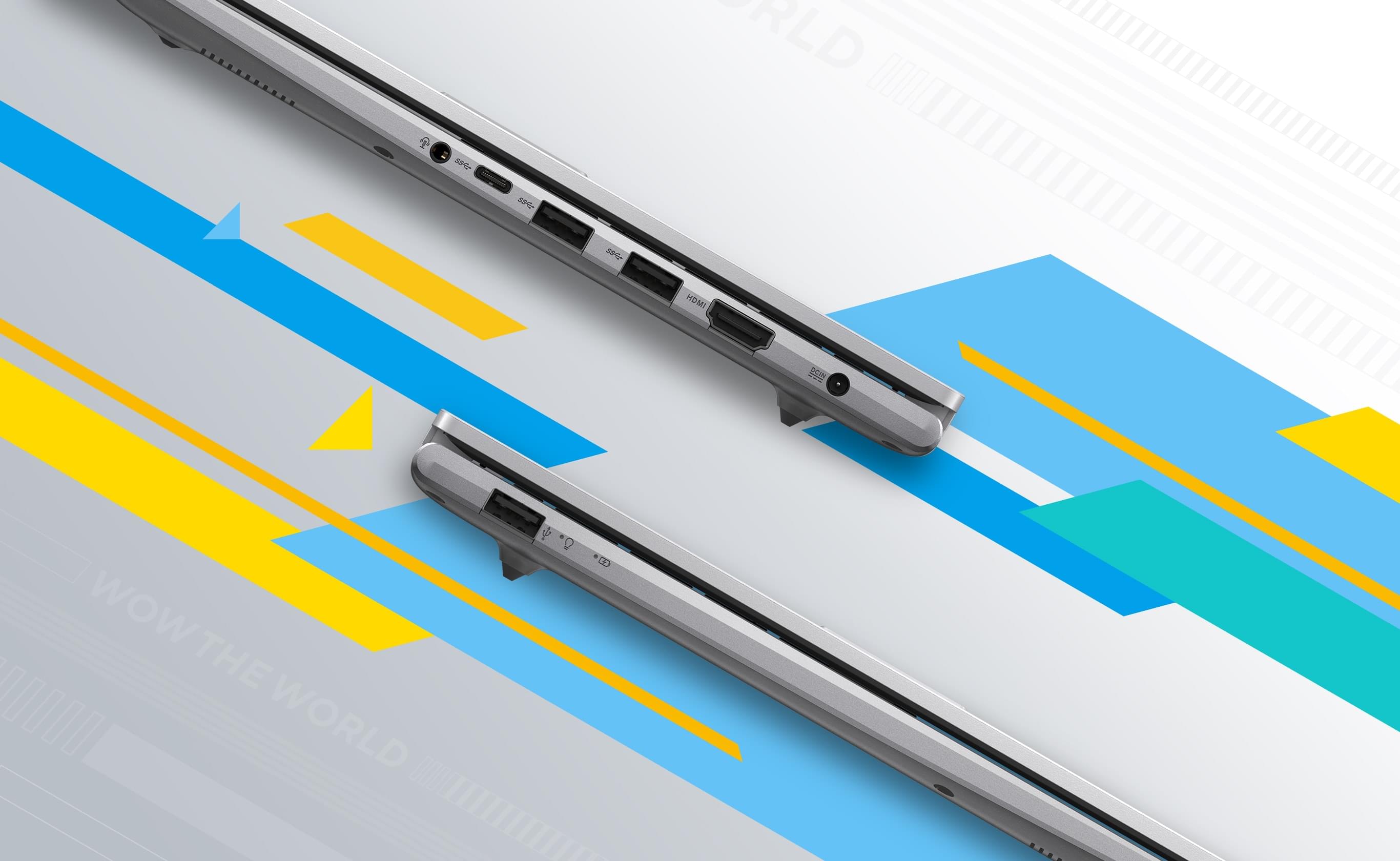
Vivobook 14 keeps you fully connected with its comprehensive I/O ports. There are one USB 3.2 Type-C Gen 1 port, two USB 3.2 Type-A Gen 1 ports, a USB 2.0 port, HDMI® output and an audio combo jack - so it’s easy to connect all your existing peripherals, displays and projectors.
Military-Grade Durability
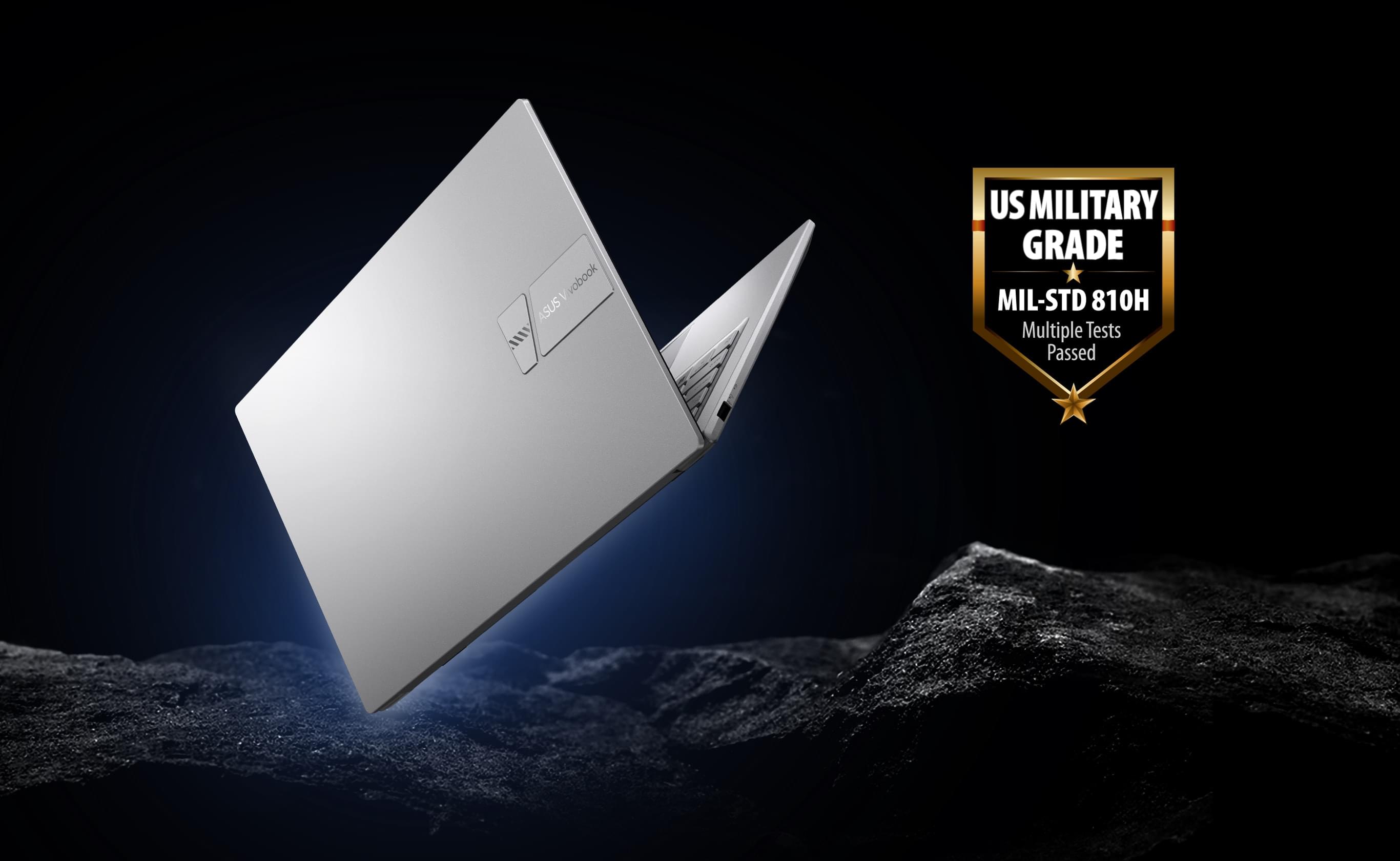
ASUS laptops are engineered with extraordinary toughness meet the exacting US MIL-STD-810H military-grade standard, undergoing 12 rigorous test methods and 26 punishing test procedures - exceeding industry standards. The upshot is a range of products that are renowned for reliability and durability. These factors also inherently benefit longevity and thus sustainability, so you can work, travel or relax with the confidence that your ASUS laptop is ready for the real world - today, and long into the future.
AI Noise Cancelation
To provide exceptional remote-working and video-conferencing experiences, features ASUS AI Noise-Canceling Technology that employs machine learning in order to isolate unwanted noise from human speech. This technology helps to filter out ambient noise for optimum group conference-call quality. The ASUS AI Noise-Canceling Microphone feature in the MyASUS app can filter out ambient noise - so you’ll hear what everyone else is saying.
Conference Calls with More Possibilities
Conference calls can be single-presenter or multi-presenter, gathered around a single laptop with voices coming from various directions. With the upgraded system enabled via the MyASUS app, it detects and optimizes audio from either one direction or from all directions — ensuring top conference call audio quality.
- Single-Presenter Conference Call: Single-presenter conference call mode can filter out noise and other voices, and ensures only the voice in front of laptop can be heard. When you switch on the Target Speaker Tracking mode it can even target and track new talkers within a 180° arc, making the feature ideal for recording large groups as well as for individuals.
- Multi-Presenter Conference Call: Multi-presenter conference call mode filters out ambient noise whilst identifying multiple voices from all directions and distances, so all voices can be heard more clearly.
Standout Webcam Effect: ASUS 3DNR
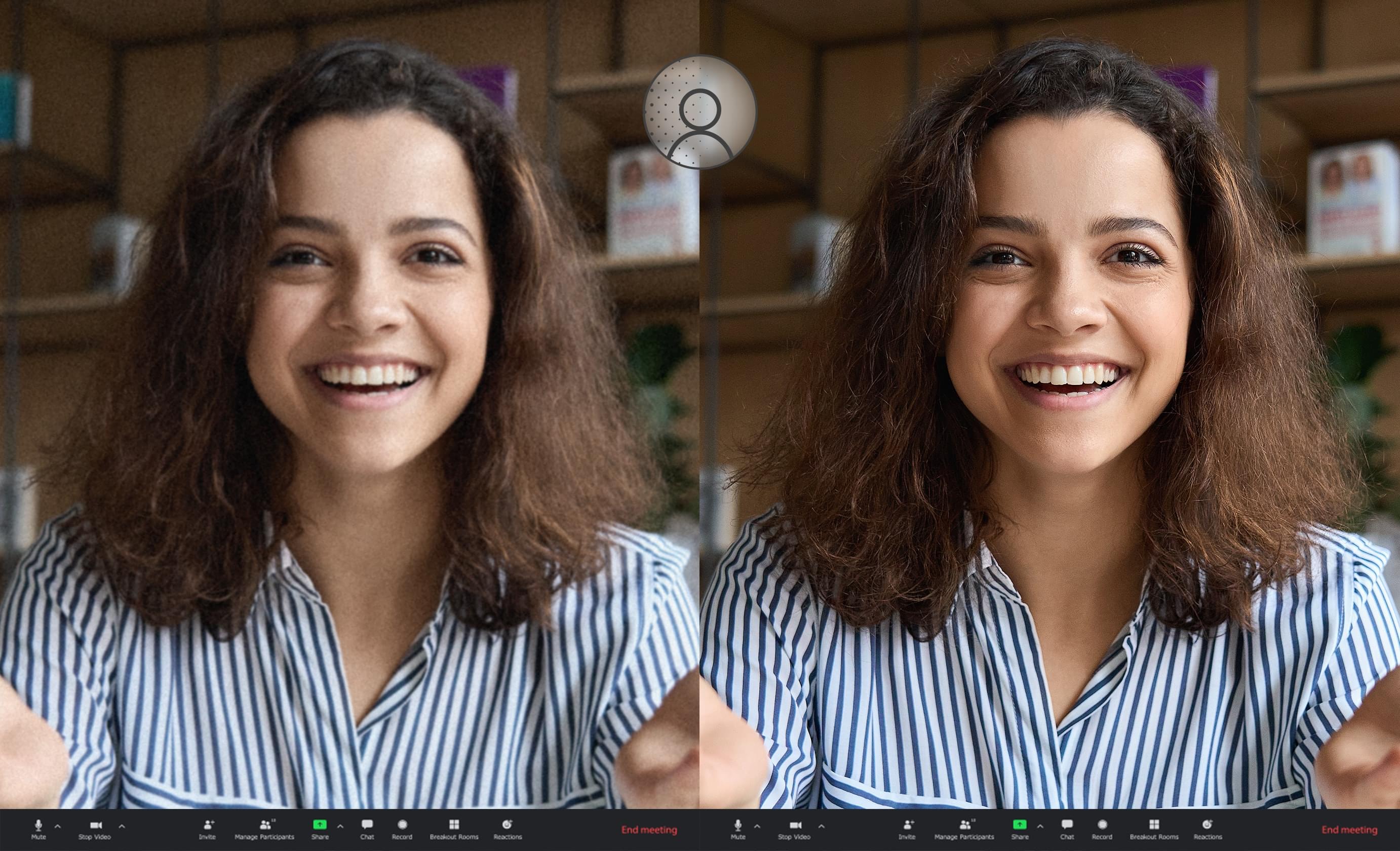
ASUS 3D Noise Reduction (3DNR) Technology significantly upgrades the webcam image clarity for clearer conference calls.
Truly Personalized Workflow
MyASUS
MyASUS provides easy access to ASUS apps that are designed to help you maintain your system, update your software, optimize your PC’s performance, and contact ASUS for after-sales support.
GlideX
GlideX is a cross-device screen-sharing solution, with Mirror and Extend features that give you a bigger and better space for work and play. The Unify Control feature lets you use a single mouse and keyboard set to control different devices from one PC, across different OSes, so you don't need to switch between devices. GlideX optimizes your workflow in the blink of an eye!
ScreenXpert for ASUS PCs
ScreenXpert for ASUS PCs - which you can download from Microsoft Store or find in your PC’s Start menu - helps you to manage app windows across displays connected to your ASUS PC and puts you in full control of your workflow!
Laptop Specifications:
- Processor: Intel Core 5 120U 1.40GHZ (5.0GHz Max Turbo) Deca Core with 12MB SmartCache
- Memory: 8GB DDR4 (Max 16GB)
- Storage: 512GB M.2 NVMe™ PCIe® 4.0 Solid State Drive (SSD)
- Expansion Slots: 1 x DDR4 SO-DIMM slot; 1 x M.2 2280 PCIe 4.0x4
- Media Drive: None (Sold Separately)
- Display: 14" Full HD (1920 x 1080) 16:9 aspect ratio, LED Backlit, 60Hz refresh rate, 250 nits, 45% NTSC color gamut, Anti-glare display, TÜV Rheinland-certified, (Screen-to-body ratio) 82%
- Graphics: Intel Iris Xe (Integrated)
- Wireless: WiFi 5 802.11ac + Bluetooth 5.1
- Wired: None (Sold Separately)
- Ports: 1 x USB 3.2 Gen 1 Type-C; 1 x USB 3.2 Gen 1 Type-A; 1 x USB 2.0 Type-A; 1 x HDMI 1.4; 1 x Headphone/Microphone Combo
- Camera: 720p HD with Privacy Shutter
- Audio: Built-in speaker
- Keyboard: Non-Backlit
- Finish: Terra Cotta (Pink)
- Operating System: Windows 11 Home
Physical Specifications:
- Dimensions: 12.79" x 8.42" x 0.70" ~ 0.70"
- Weight: 3.09 lbs (Approximate)
|
Seamless Compatibility with Microsoft Office! Get SoftMaker Office 2024 for 5 computers. Compatible with Windows, Mac & Linux (1 Time Purchase. Not a subscription.) |
|||
| SoftMaker Office, the GDPR-compliant alternative to Microsoft Office, makes working with documents, spreadsheets and presentations a breeze – whether you're on Windows, Linux, Mac, iOS or Android. SoftMaker Office uses the Microsoft Office formats DOCX, XLSX and PPTX as its default file formats. This lets you edit your documents in Microsoft Office directly and without conversion. | |||
Write. Calculate. Present.
|
|||
 |
|||
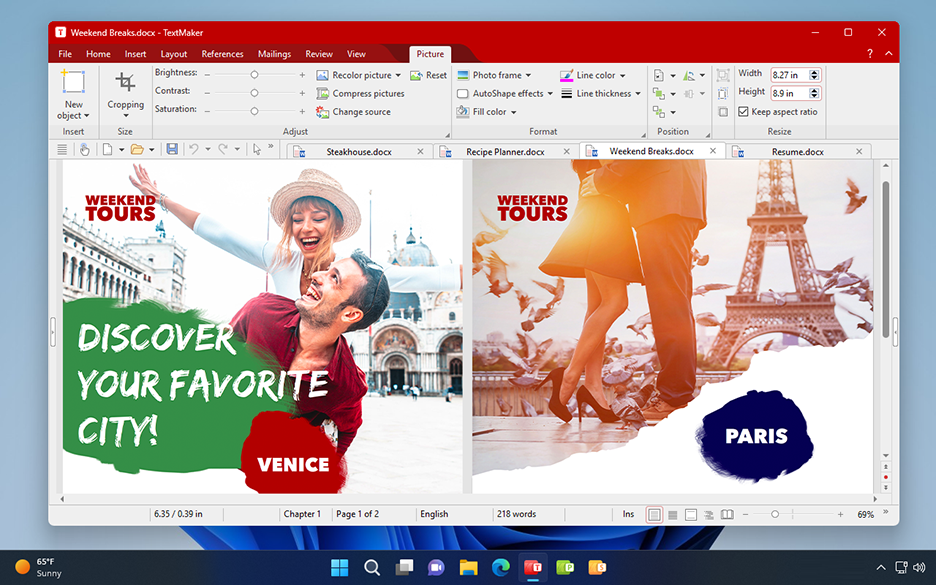
YOUR NEW WORD PROCESSING SOFTWAREThis is what the best alternative to Microsoft Word looks like. TextMaker is the word processor in SoftMaker Office – fast, powerful, compatible and GDPR-compliant.Compatible with Word DOCX is the default file format of TextMaker. Edit TextMaker documents easily with Microsoft Word – and vice versa! Quickly create PDF and PDF/A files and e-books in EPUB format in TextMaker. Employ artificial intelligence for your documents TextMaker is the first word processor with artificial intelligence (AI) built in.Just leave the text composition to ChatGPT's AI. It summarizes long texts intelligently, improves your writing style and grammar usage, and even writes entire texts based on your ideas.
TextMaker is a team player. |
|||
 |
|||
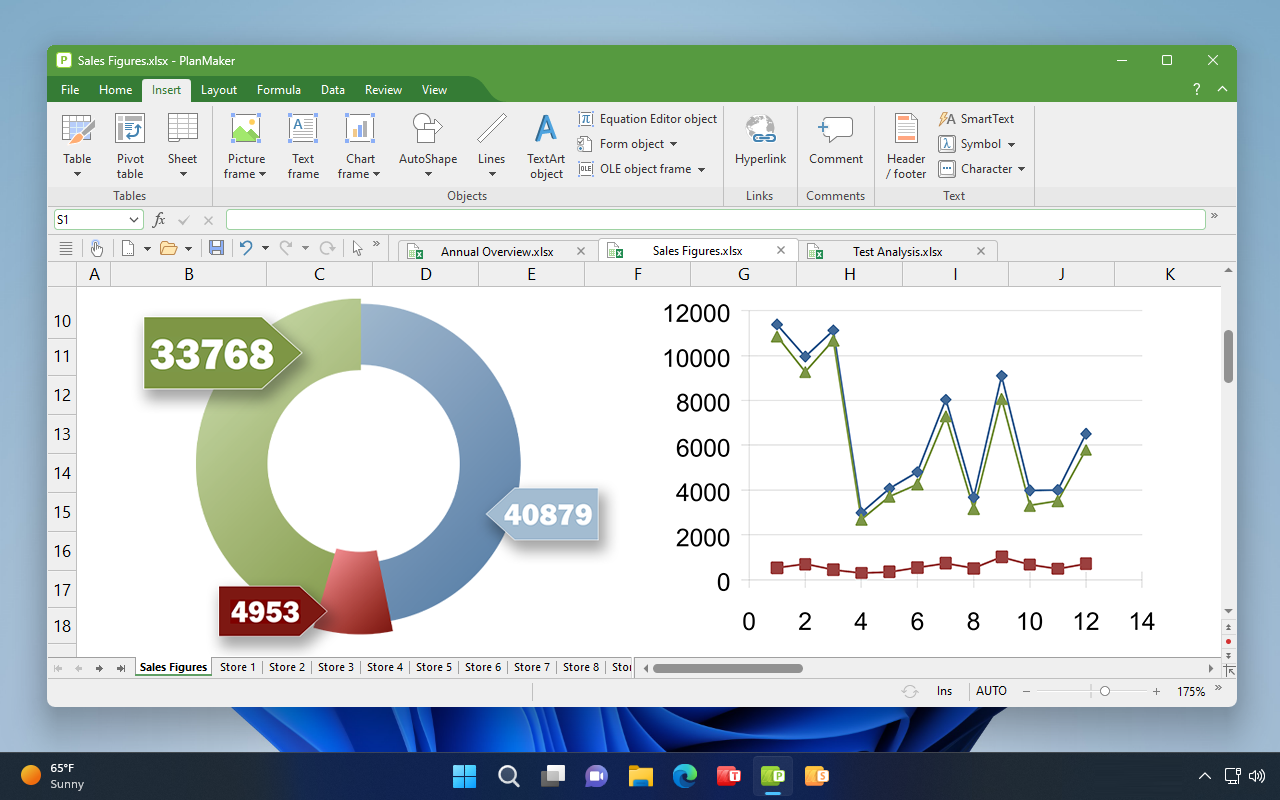
PlanMaker is the SPREADSHEET application in SoftMaker Office – fast, powerful, compatible and GDPR-compliant.
|
|||
 |
|||
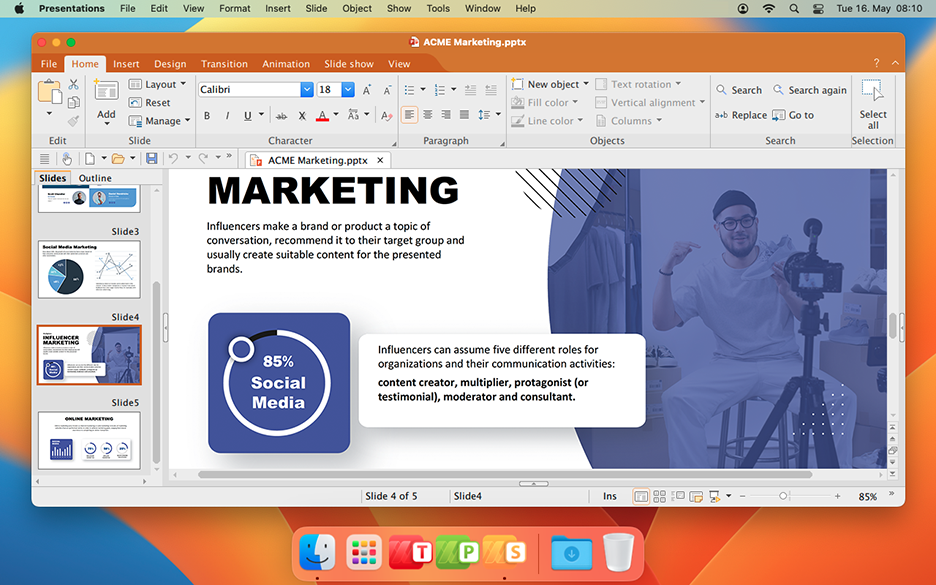
YOUR NEW PRESENTATION SOFTWAREPresentations is the presentation software in SoftMaker Office – fast, powerful, compatible and GDPR-compliant. This is what the best alternative to Microsoft PowerPoint looks like. Stun the audience with great slide shows, thanks to Presentations. Impressive graphics, breathtaking animations and slide transitions, and easy-to-use audio and video are the ingredients to your success.Compatible with PowerPoint Design attractive slides Presentations with PEP!
|


